

-
×
 LENCENT FM Transmitter, Bluetooth FM Transmitter Wireless Radio Adapter Car Kit with Dual USB Charging Car Charger MP3 Player Support TF Card & USB Disk
- Vendor:
-
×
 KKmoon Multi-Functional Mini Electric Grinder Set Drill Grinding Rotary Tool Kit Green 0.233kg UAE | Dubai, Abu Dhabi
- Vendor:
-
×
Used Chromebook 11 CB1C13 Portable Thin Laptop Intel Celeron 2955U Processor 11.6-inch Lightweight Computer 4GB RAM 16GB eMMC Small Slim Kids School PC Notebook Chrome OS Charger(Top Face Has Sticker)
- Vendor:
 LENCENT FM Transmitter, Bluetooth FM Transmitter Wireless Radio Adapter Car Kit with Dual USB Charging Car Charger MP3 Player Support TF Card & USB Disk
  KKmoon Multi-Functional Mini Electric Grinder Set Drill Grinding Rotary Tool Kit Green 0.233kg UAE | Dubai, Abu Dhabi
  Used Chromebook 11 CB1C13 Portable Thin Laptop Intel Celeron 2955U Processor 11.6-inch Lightweight Computer 4GB RAM 16GB eMMC Small Slim Kids School PC Notebook Chrome OS Charger(Top Face Has Sticker)
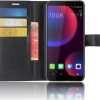
 LCD Screen for HTC U11 Eyes with Digitizer Full Assembly (Black)
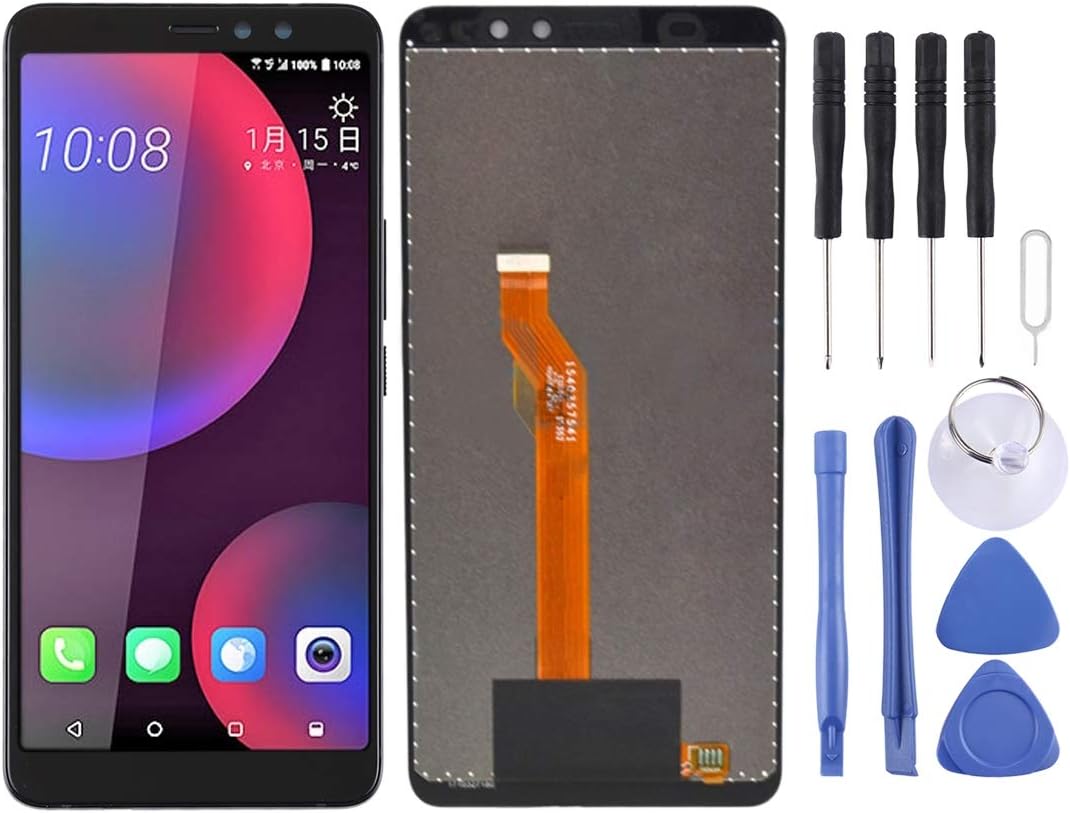
LCD Screen for HTC U11 Eyes with Digitizer Full Assembly (Black)
$67.90
Next Shipment In
Order by 12th March
Receive by 24th March
Price includes freight & customs charges.
About the product 1. Replacement LCD display + touch screen digitizer assembly for HTC U11 Eyes. 2. Replace the old, broken, cracked, damaged one. 3. Make your device look more refreshing than ever. 4. Completely fit and work. 5. Each item has been checked and in good condition before shipping. 6. Professional installation is highly recommended. We will not be responsible once the screen is installed. Before Installation Notes 1. Tips 1: Test before installation When testing, do not remove any protective film or tags. Please pay attention to the problem of static electricity. Before attempting any repair, be sure to ground yourself is an ESD (electro static discharge) strap. This will prevent static electricity from damaging the electronic components within the phone. Ensure you wear eye protection and use caution not to cut your finger with the glass splinters. 2. Tips 2: Simulates testing Screen replacement is very fragile product. We strongly suggest test before installation. Please simulates testing, which means mobile phone apart, (motherboard + LCD or screen) connected audio cable and new replacement, power on, test finished. If test OK, please install it. If it can not show, please contact us at the very first time. And please do not force it to be installed in mobile phone. We will not be responsible once the screen is installed. 3. Tips 3: Do not over-bend cable Please make sure LCD cable Do not over-bend. Over 90 degrees bent will cause black display.

About the product 1. Replacement LCD display + touch screen digitizer assembly for HTC U11 Eyes. 2. Replace the old, broken, cracked, damaged one. 3. Make your device look more refreshing than ever. 4. Completely fit and work. 5. Each item has been checked and in good condition before shipping. 6. Professional installation is highly recommended. We will not be responsible once the screen is installed. Before Installation Notes 1. Tips 1: Test before installation When testing, do not remove any protective film or tags. Please pay attention to the problem of static electricity. Before attempting any repair, be sure to ground yourself is an ESD (electro static discharge) strap. This will prevent static electricity from damaging the electronic components within the phone. Ensure you wear eye protection and use caution not to cut your finger with the glass splinters. 2. Tips 2: Simulates testing Screen replacement is very fragile product. We strongly suggest test before installation. Please simulates testing, which means mobile phone apart, (motherboard + LCD or screen) connected audio cable and new replacement, power on, test finished. If test OK, please install it. If it can not show, please contact us at the very first time. And please do not force it to be installed in mobile phone. We will not be responsible once the screen is installed. 3. Tips 3: Do not over-bend cable Please make sure LCD cable Do not over-bend. Over 90 degrees bent will cause black display.
You must be logged in to post a review.
-27%

Android Purple deals
Original price was: $230.00.$168.00Current price is: $168.00.
-20%

Original price was: $280.00.$225.00Current price is: $225.00.
-17%


Hair Products
Original price was: $165.90.$137.55Current price is: $137.55.

-25%

Original price was: $60.00.$45.00Current price is: $45.00.


Reviews
There are no reviews yet