

-
×
 Baccarat Rouge 540
- Vendor:
Q.O.W Cosmetics
 Baccarat Rouge 540
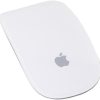
 Apple Magic Bluetooth Wireless Laser Mouse – A1296 (Refurbished)
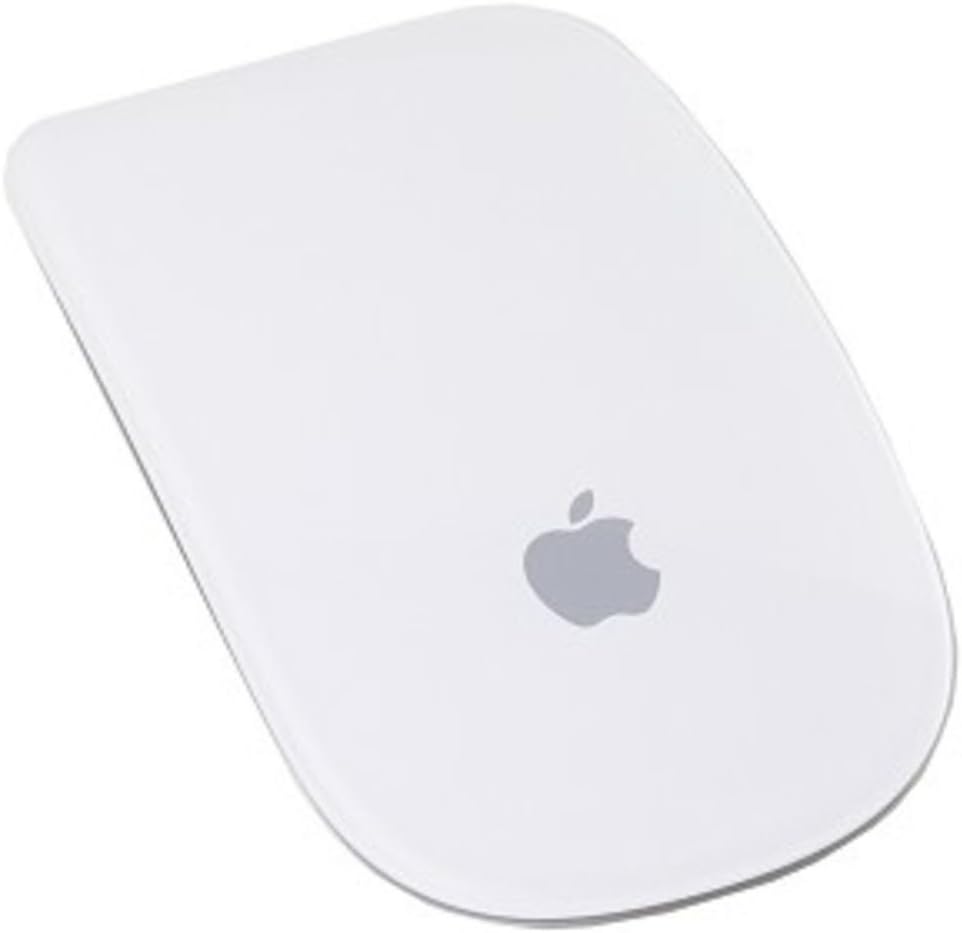
Apple Magic Bluetooth Wireless Laser Mouse – A1296 (Refurbished)
$47.95
Next Shipment In
Order by 12th March
Receive by 24th March
Price includes freight & customs charges.
It began with iPhone. Then came iPod touch. Then MacBook Pro. Intuitive, smart, dynamic. Multi-Touch technology introduced a remarkably better way to interact with your portable devices – all using gestures. Now we’ve reached another milestone by bringing gestures to the desktop with a mouse that’s unlike anything ever before. It’s called Magic Mouse. It’s the world’s first Multi-Touch mouse. And while it comes standard with every new iMac, you can also add it to any Bluetooth-enabled Mac for a Multi-Touch makeover.What’s in the box: Apple Magic Mouse. Quick Set-Up Guide: goo.gl/ImVBHM If your mouse or trackpad doesn’t track as expected Apple Wireless Mouse, Magic Mouse, and Magic Mouse 2 can be used on most smooth surfaces; however, if tracking issues occur, try these options: Choose Apple menu > System Preferences, then select Mouse. Set the Tracking slider to adjust how fast the pointer moves as you move the mouse. Try using a different surface to see if the tracking improves. Turn the mouse over and inspect the sensor window. Use compressed air to gently clean the sensor window if dust or debris is present. If multiple Bluetooth wireless devices are in use nearby, try turning them off one at a time to see if the issue improves. Bandwidth intensive devices can affect tracking.

It began with iPhone. Then came iPod touch. Then MacBook Pro. Intuitive, smart, dynamic. Multi-Touch technology introduced a remarkably better way to interact with your portable devices – all using gestures. Now we’ve reached another milestone by bringing gestures to the desktop with a mouse that’s unlike anything ever before. It’s called Magic Mouse. It’s the world’s first Multi-Touch mouse. And while it comes standard with every new iMac, you can also add it to any Bluetooth-enabled Mac for a Multi-Touch makeover.What’s in the box: Apple Magic Mouse. Quick Set-Up Guide: goo.gl/ImVBHM If your mouse or trackpad doesn’t track as expected Apple Wireless Mouse, Magic Mouse, and Magic Mouse 2 can be used on most smooth surfaces; however, if tracking issues occur, try these options: Choose Apple menu > System Preferences, then select Mouse. Set the Tracking slider to adjust how fast the pointer moves as you move the mouse. Try using a different surface to see if the tracking improves. Turn the mouse over and inspect the sensor window. Use compressed air to gently clean the sensor window if dust or debris is present. If multiple Bluetooth wireless devices are in use nearby, try turning them off one at a time to see if the issue improves. Bandwidth intensive devices can affect tracking.
You must be logged in to post a review.
-21%

-24%
Original price was: $1,290.59.$981.59Current price is: $981.59.
-20%



Storeflex Amazon AE
$526.79
-20%

Original price was: $35.00.$28.00Current price is: $28.00.
This product has multiple variants. The options may be chosen on the product page


Reviews
There are no reviews yet