

UGREEN 1080P Webcam with Microphone USB HD Camera, 1080P/30fps 720P/60fps Stream Camera, with Auto Light Correction, Dual Noise Reduction Mics, for Skype/Facebook/Youtube, Laptop/Desktop, Grey
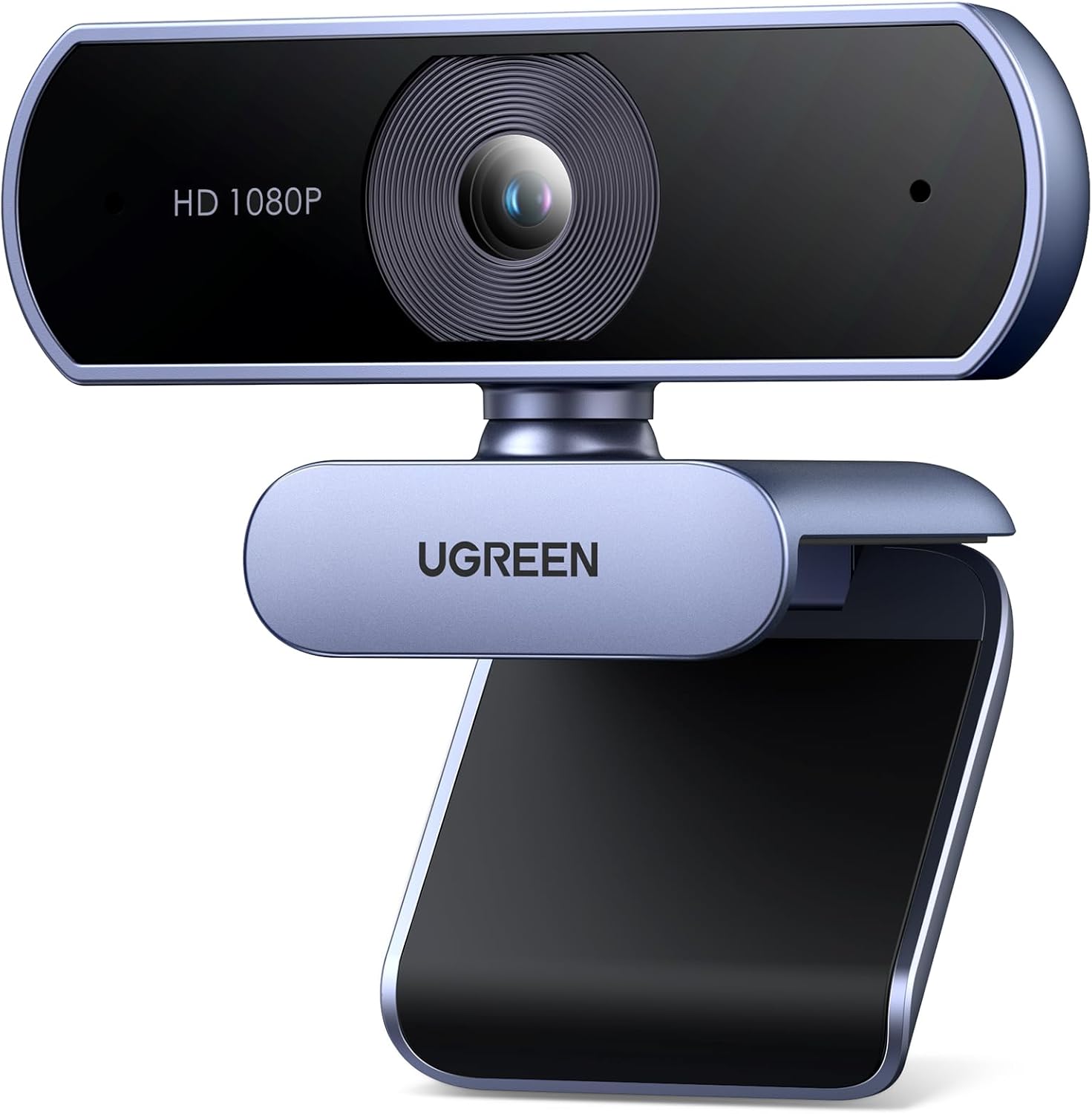
UGREEN 1080P Webcam with Microphone USB HD Camera, 1080P/30fps 720P/60fps Stream Camera, with Auto Light Correction, Dual Noise Reduction Mics, for Skype/Facebook/Youtube, Laptop/Desktop, Grey
$38.67
Next Shipment In
Order by 12th March
Receive by 24th March
Price includes freight & customs charges.
Enjoy a visual feast
Made by high-quality optical lens, CMOS pixel up to 200W.
Clip on monitor
Put on desk
Install on tripod
Starry sky gray, matte material shell.
When the ambient temperature is 25°C, the maximum temperature on the shell surface does not exceed 40°C.
Suitable for various monitors and can be fixed on the monitor.
Do I need to install drivers?
Driver-free system:Windows 7/8/10/11, Linux, Mac OS X10.6 and above, Android 5.0 and above.
How do I use the video and voice functions of the product on APPs?
In the setting menu of the APP, select “UGREEN Camera” as the audio and video input device for both the microphone and camera, and you can use the product’s video and voice functions.
What should I do if the product does not respond when connected to the computer?
1. Check whether the USB interface is tight.
2. Check whether the product name is recognized in “Sound, Video, and Game Controllers” and “Camera” in Device Manager?
3. Uninstall the product in the device manager and replug the product to re-recognize
Why does the screen splash when using the USB camera?
It is recommended to set the frame rate to 25fps or 30fps (or an integer multiple of 25fps/30fps) and then observe the effect.
What should I do if the focus is slow or the focus is not clear?
1. Check whether the protective film has been removed.
2. Check that the lens surface is clean.
3. Adjust the camera angle to avoid focusing on objects that are too close to the camera.
4. The better focusing distance: ≥ 50CM.

Enjoy a visual feast
Made by high-quality optical lens, CMOS pixel up to 200W.
Clip on monitor
Put on desk
Install on tripod
Starry sky gray, matte material shell.
When the ambient temperature is 25°C, the maximum temperature on the shell surface does not exceed 40°C.
Suitable for various monitors and can be fixed on the monitor.
Do I need to install drivers?
Driver-free system:Windows 7/8/10/11, Linux, Mac OS X10.6 and above, Android 5.0 and above.
How do I use the video and voice functions of the product on APPs?
In the setting menu of the APP, select “UGREEN Camera” as the audio and video input device for both the microphone and camera, and you can use the product’s video and voice functions.
What should I do if the product does not respond when connected to the computer?
1. Check whether the USB interface is tight.
2. Check whether the product name is recognized in “Sound, Video, and Game Controllers” and “Camera” in Device Manager?
3. Uninstall the product in the device manager and replug the product to re-recognize
Why does the screen splash when using the USB camera?
It is recommended to set the frame rate to 25fps or 30fps (or an integer multiple of 25fps/30fps) and then observe the effect.
What should I do if the focus is slow or the focus is not clear?
1. Check whether the protective film has been removed.
2. Check that the lens surface is clean.
3. Adjust the camera angle to avoid focusing on objects that are too close to the camera.
4. The better focusing distance: ≥ 50CM.
You must be logged in to post a review.


-53%
Original price was: $379.13.$178.40Current price is: $178.40.




Reviews
There are no reviews yet