

-
×
 Women's Orthopedic Sneakers, Air Cushion Platform Diabetic Walking Shoes Slip-On (10, Blue)
- Vendor:
-
×
Samsung S10 1sim
- Vendor:
-
×
Red Bull Cap | White
- Vendor:
-
×
Lenovo Tab M9 with Clear Case and Protective Film, 9" HD (1340x800) IPS 400nits Anti-fingerprint, Touch display, MediaTek Helio G80 processor, 3GB RAM, 32GB Storage, Android 12 - [ZAC30030AE]
- Vendor:
-
×
ESR for iPhone 16 Case, Camera Control Capture Button, Compatible with MagSafe, Military-Grade Protective Case, Built-in Stash Stand Phone Case, Classic Series, Clear
- Vendor:
-
×
Apple 2020 MacBook Air Laptop: Apple M1 Chip, 13” Retina Display, 8GB RAM, 256GB SSD Storage, Backlit Keyboard, FaceTime HD Camera, Touch ID. Works with iPhone/iPad; Space Gray ; Arabic/English
- Vendor:
-
×
Canon EF 50mm f/1.8 STM Lens, UAE version with official warranty
- Vendor:
-
×
Oteeto Tab11 10.1 Inch IPS LCD Display 5G Android Tablet With 8GB RAM 256GB ROM 6000 mAh Battery and Keyboard Blue
- Vendor:
-
×
CeraVe Vitamin C Serum with Hyaluronic Acid (1fl.oz)
- Vendor:
-
×
Flying Tiger Cub Balm (Red) 15 Gm x 10 Pack
- Vendor:
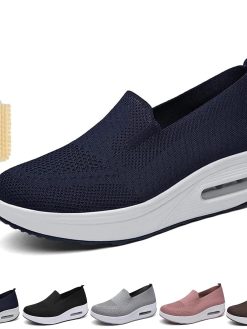 Women's Orthopedic Sneakers, Air Cushion Platform Diabetic Walking Shoes Slip-On (10, Blue)
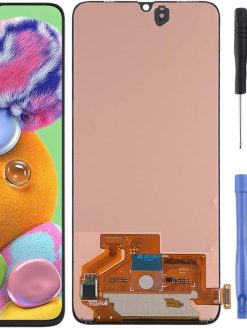
 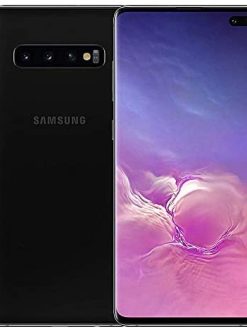 Samsung S10 1sim
  Red Bull Cap | White
 ![Lenovo Tab M9 with Clear Case and Protective Film, 9" HD (1340x800) IPS 400nits Anti-fingerprint, Touch display, MediaTek Helio G80 processor, 3GB RAM, 32GB Storage, Android 12 - [ZAC30030AE]](https://www.dxbrunners.com/wp-content/uploads/2024/04/61Ld8gZjXxL._AC_SL1500_-247x329.jpg) Lenovo Tab M9 with Clear Case and Protective Film, 9" HD (1340x800) IPS 400nits Anti-fingerprint, Touch display, MediaTek Helio G80 processor, 3GB RAM, 32GB Storage, Android 12 - [ZAC30030AE]
Lenovo Tab M9 with Clear Case and Protective Film, 9" HD (1340x800) IPS 400nits Anti-fingerprint, Touch display, MediaTek Helio G80 processor, 3GB RAM, 32GB Storage, Android 12 - [ZAC30030AE] 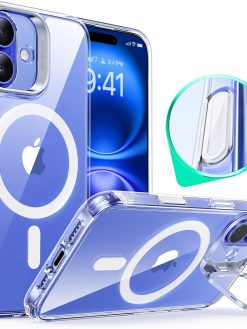 ESR for iPhone 16 Case, Camera Control Capture Button, Compatible with MagSafe, Military-Grade Protective Case, Built-in Stash Stand Phone Case, Classic Series, Clear
  Apple 2020 MacBook Air Laptop: Apple M1 Chip, 13” Retina Display, 8GB RAM, 256GB SSD Storage, Backlit Keyboard, FaceTime HD Camera, Touch ID. Works with iPhone/iPad; Space Gray ; Arabic/English
 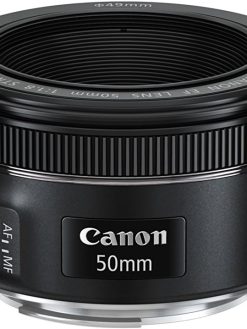 Canon EF 50mm f/1.8 STM Lens, UAE version with official warranty
  Oteeto Tab11 10.1 Inch IPS LCD Display 5G Android Tablet With 8GB RAM 256GB ROM 6000 mAh Battery and Keyboard Blue
  CeraVe Vitamin C Serum with Hyaluronic Acid (1fl.oz)
  Flying Tiger Cub Balm (Red) 15 Gm x 10 Pack
 Hollyland LARK A1 Mini Wireless Microphone for iPhone 15/16 & Android, Pure Sound, Noise Cancellation, Magnetic Microphone for Vlogging, YouTube, TikTok, Podcast (2TX + USB-C RX, No Charging Case)
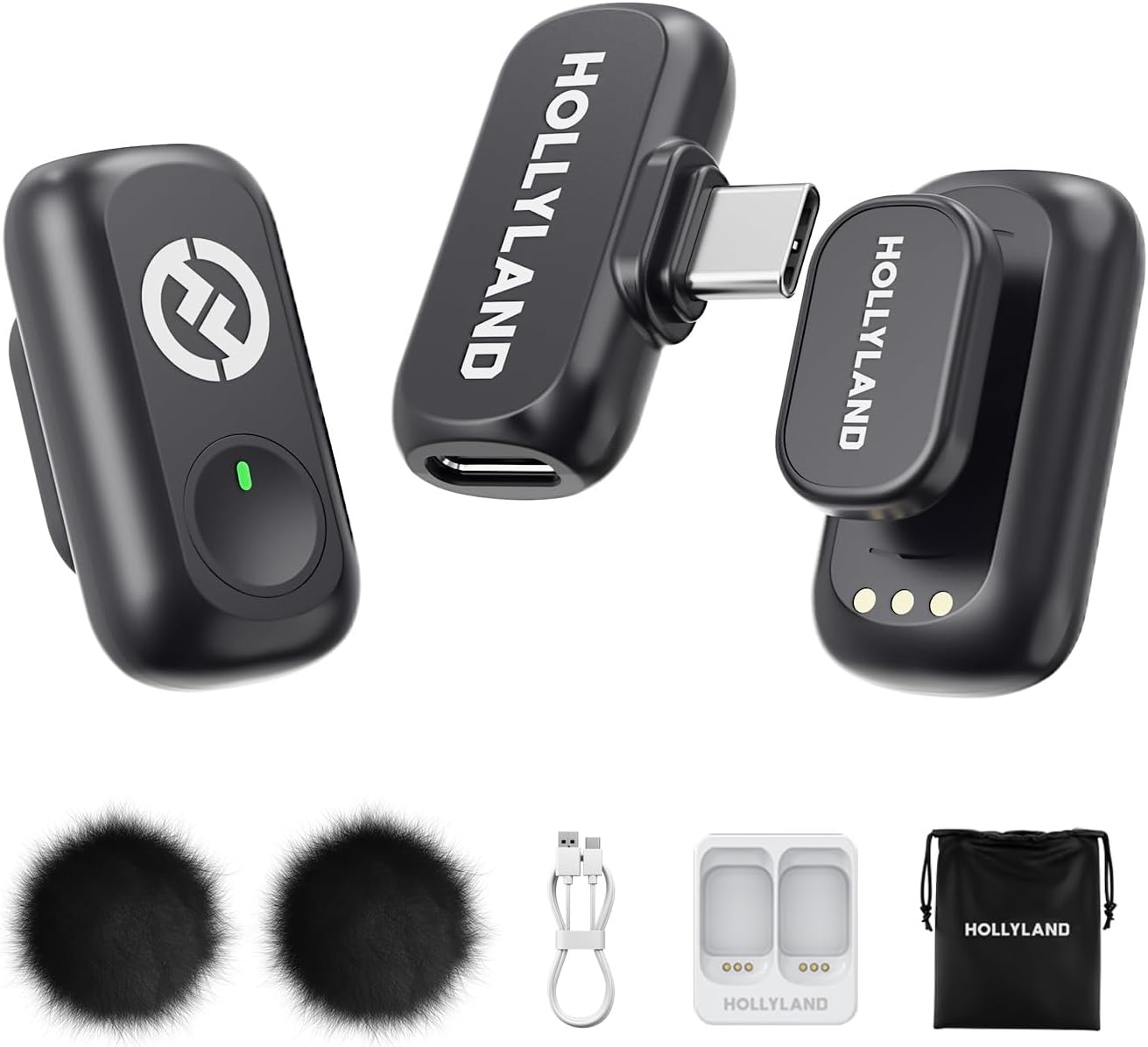
Hollyland LARK A1 Mini Wireless Microphone for iPhone 15/16 & Android, Pure Sound, Noise Cancellation, Magnetic Microphone for Vlogging, YouTube, TikTok, Podcast (2TX + USB-C RX, No Charging Case)
$47.94
Next Shipment In
Order by 12th March
Receive by 24th March
Price includes freight & customs charges.
Hollyland Wireless Microphone
Unleashing Wireless Innovation
“M
: This isn’t just our slogan; it’s our promise. We are dedicated to creating innovative products and services that inspire content creators to push their boundaries and share their unique visions with the world.
C
– Where Wireless Technology Meets Limitless Creativity.
With a high sound pressure level of 120dB SPL, the LARK A1 easily handles sudden loud noises, effectively avoiding distortion. It captures every nuance-from deep lows to crisp highs-with pristine accuracy.
Designed for creators who need ultimate flexibility, the LARK A1 delivers an impressive 200m (650ft) transmission range. Whether you’re filming expansive outdoor scenes or dynamic on-the-go content, its robust anti-interference technology ensures stable, uninterrupted audio. Capture every word with confidence. Forget dropouts and disruptions. Focus on seamless and high-quality sound.
LARK A1 How to pair manualy?
1.RX: Hold pairing button 3s → indicator flashes.
2.TX (off): Long-press power 6s to enter pairing mode.
3.The 2 TX can be individually pairing with the RX.
(Note: Pairing blocked if TX connected. Units pre-paired before shipping.)
What scenarios are the EQ Adjustment and Reverb Adjustment of LARK A1 suitable?
EQ Adjustment: Enhances voice clarity & naturalness. Reverb Adjustment: Adds fullness/thickness to sound.
Three-Level Reverb:
Small: Voice chat, recordings, short videos
Medium: video recording, podcasts
Large: Live singing
What is the TX Identification function of LARK A1?
When turning this function on will show different indicator light
● Purple: TX1
● Yellow: TX2
Note: When the NC on will only show green light
LARK A1 how to turn on mute function?
LARK A1 supports the mute function on TX and RX.
● On the TX side, double press the button to turn on current mic.
● On the RX side, double press the yellow button to mute mic1, triple press to mute mic 2.
Why TX indicator of LARK A1 does not light up?
LARK A1 supports Indicator light switch. After turning off the indicator light on the LARKSOUND APP, the TX indicator light will not light up.

Hollyland Wireless Microphone
Unleashing Wireless Innovation
“M
: This isn’t just our slogan; it’s our promise. We are dedicated to creating innovative products and services that inspire content creators to push their boundaries and share their unique visions with the world.
C
– Where Wireless Technology Meets Limitless Creativity.
With a high sound pressure level of 120dB SPL, the LARK A1 easily handles sudden loud noises, effectively avoiding distortion. It captures every nuance-from deep lows to crisp highs-with pristine accuracy.
Designed for creators who need ultimate flexibility, the LARK A1 delivers an impressive 200m (650ft) transmission range. Whether you’re filming expansive outdoor scenes or dynamic on-the-go content, its robust anti-interference technology ensures stable, uninterrupted audio. Capture every word with confidence. Forget dropouts and disruptions. Focus on seamless and high-quality sound.
LARK A1 How to pair manualy?
1.RX: Hold pairing button 3s → indicator flashes.
2.TX (off): Long-press power 6s to enter pairing mode.
3.The 2 TX can be individually pairing with the RX.
(Note: Pairing blocked if TX connected. Units pre-paired before shipping.)
What scenarios are the EQ Adjustment and Reverb Adjustment of LARK A1 suitable?
EQ Adjustment: Enhances voice clarity & naturalness. Reverb Adjustment: Adds fullness/thickness to sound.
Three-Level Reverb:
Small: Voice chat, recordings, short videos
Medium: video recording, podcasts
Large: Live singing
What is the TX Identification function of LARK A1?
When turning this function on will show different indicator light
● Purple: TX1
● Yellow: TX2
Note: When the NC on will only show green light
LARK A1 how to turn on mute function?
LARK A1 supports the mute function on TX and RX.
● On the TX side, double press the button to turn on current mic.
● On the RX side, double press the yellow button to mute mic1, triple press to mute mic 2.
Why TX indicator of LARK A1 does not light up?
LARK A1 supports Indicator light switch. After turning off the indicator light on the LARKSOUND APP, the TX indicator light will not light up.
You must be logged in to post a review.





Reviews
There are no reviews yet