

-
×
 HP EliteDesk 800 G1 Tiny Computer Micro Tower PC, Intel Core i5-4590T, 8GB Ram, 256 GB SSD, WiFi, Windows 10 Pro (Renewed)
- Vendor:
-
×
Xspring Lined Journal Notebook, A5 Hardcover Wide Ruled Executive Notebooks with Pen Loop, College Wide Ruled Executive Notebooks for Work, Office Home School Business Writing, 360 Pages Paper (Black)
- Vendor:
-
×
Cosmo Carrot Whitening Body Lotion 750ml, Natural Carrot Extract and Vitamin E, All Skin Types, Daily Moisturizer Care, for Men and Women
- Vendor:
-
×
Dorsa 12V Battery Operated Lamborghini Veneno Ride on Sports for Kids, Ride on Kids Car with Music, Sound & Light| Electric Kids Ride on to Drive for 2 to 6 Years Boy Girl (Red)
- Vendor:
-
×
brazillian pixie | 100% human hair pixie wig
- Vendor:
 HP EliteDesk 800 G1 Tiny Computer Micro Tower PC, Intel Core i5-4590T, 8GB Ram, 256 GB SSD, WiFi, Windows 10 Pro (Renewed)
  Xspring Lined Journal Notebook, A5 Hardcover Wide Ruled Executive Notebooks with Pen Loop, College Wide Ruled Executive Notebooks for Work, Office Home School Business Writing, 360 Pages Paper (Black)
  Cosmo Carrot Whitening Body Lotion 750ml, Natural Carrot Extract and Vitamin E, All Skin Types, Daily Moisturizer Care, for Men and Women
  Dorsa 12V Battery Operated Lamborghini Veneno Ride on Sports for Kids, Ride on Kids Car with Music, Sound & Light| Electric Kids Ride on to Drive for 2 to 6 Years Boy Girl (Red)
  brazillian pixie | 100% human hair pixie wig
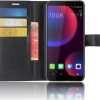
 LCD Screen for HTC U11 Eyes with Digitizer Full Assembly (Black)
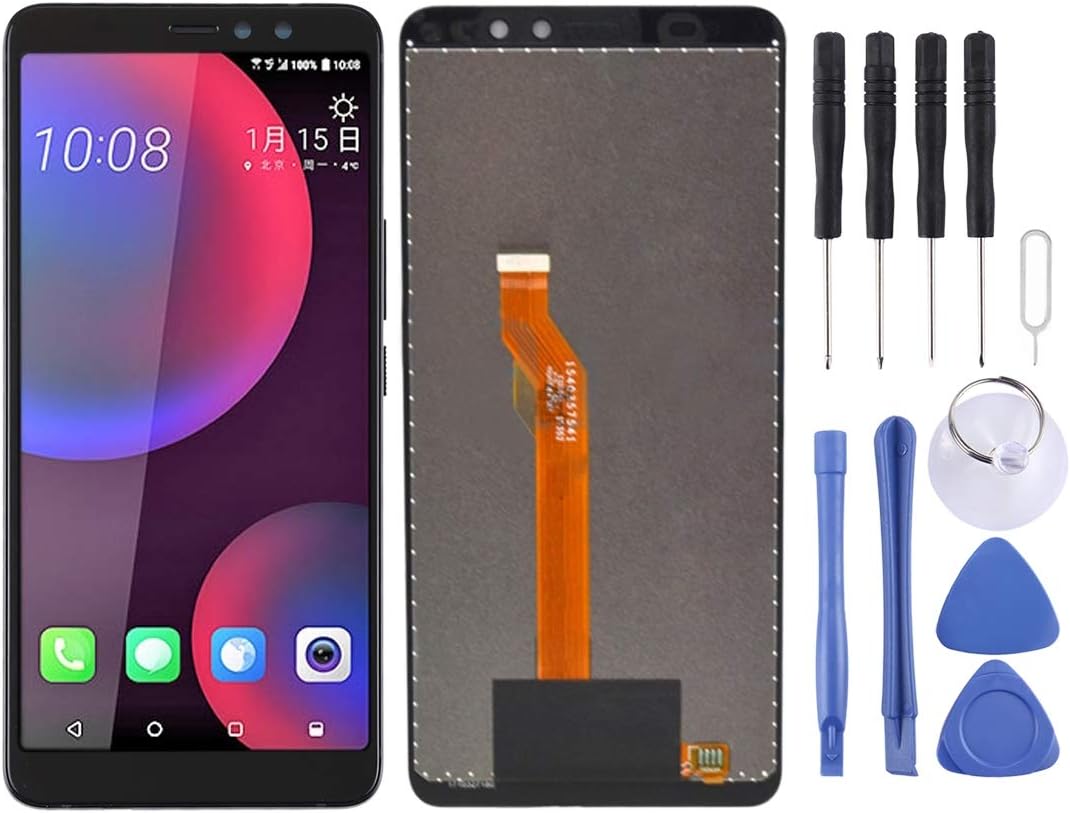
LCD Screen for HTC U11 Eyes with Digitizer Full Assembly (Black)
$67.90
Next Shipment In
Order by 12th March
Receive by 24th March
Price includes freight & customs charges.
About the product 1. Replacement LCD display + touch screen digitizer assembly for HTC U11 Eyes. 2. Replace the old, broken, cracked, damaged one. 3. Make your device look more refreshing than ever. 4. Completely fit and work. 5. Each item has been checked and in good condition before shipping. 6. Professional installation is highly recommended. We will not be responsible once the screen is installed. Before Installation Notes 1. Tips 1: Test before installation When testing, do not remove any protective film or tags. Please pay attention to the problem of static electricity. Before attempting any repair, be sure to ground yourself is an ESD (electro static discharge) strap. This will prevent static electricity from damaging the electronic components within the phone. Ensure you wear eye protection and use caution not to cut your finger with the glass splinters. 2. Tips 2: Simulates testing Screen replacement is very fragile product. We strongly suggest test before installation. Please simulates testing, which means mobile phone apart, (motherboard + LCD or screen) connected audio cable and new replacement, power on, test finished. If test OK, please install it. If it can not show, please contact us at the very first time. And please do not force it to be installed in mobile phone. We will not be responsible once the screen is installed. 3. Tips 3: Do not over-bend cable Please make sure LCD cable Do not over-bend. Over 90 degrees bent will cause black display.

About the product 1. Replacement LCD display + touch screen digitizer assembly for HTC U11 Eyes. 2. Replace the old, broken, cracked, damaged one. 3. Make your device look more refreshing than ever. 4. Completely fit and work. 5. Each item has been checked and in good condition before shipping. 6. Professional installation is highly recommended. We will not be responsible once the screen is installed. Before Installation Notes 1. Tips 1: Test before installation When testing, do not remove any protective film or tags. Please pay attention to the problem of static electricity. Before attempting any repair, be sure to ground yourself is an ESD (electro static discharge) strap. This will prevent static electricity from damaging the electronic components within the phone. Ensure you wear eye protection and use caution not to cut your finger with the glass splinters. 2. Tips 2: Simulates testing Screen replacement is very fragile product. We strongly suggest test before installation. Please simulates testing, which means mobile phone apart, (motherboard + LCD or screen) connected audio cable and new replacement, power on, test finished. If test OK, please install it. If it can not show, please contact us at the very first time. And please do not force it to be installed in mobile phone. We will not be responsible once the screen is installed. 3. Tips 3: Do not over-bend cable Please make sure LCD cable Do not over-bend. Over 90 degrees bent will cause black display.
You must be logged in to post a review.
-27%
-47%
Electronics
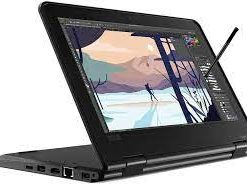
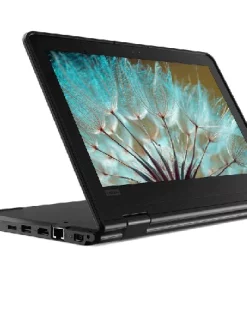
Lenovo Yoga 11E 2 IN 1 X360, Educational Model With Pen , 8 GB Ram , 128 GB SSD, 11″6 Touch Screen
Original price was: $289.00.$154.20Current price is: $154.20.
![Lenovo LOQ 15IRX9 Gaming Laptop with AI, 15.6"FHD 144 Hz Display, Intel Core i7-13650HX, 16GB RAM, 512GB SSD, RTX 3050 6GB GDDR6, Win11, RGB Eng-Arabic, Luna Grey - [83DV0008AX]](https://www.dxbrunners.com/wp-content/uploads/2025/02/619VDR49DFL._AC_SL1080_-1-247x329.jpg)



Reviews
There are no reviews yet