

-
×
 Samsung Galaxy Fit3 Smartwatch, Exercise and Sleep Tracking, Fall Detection, Bluetooth, 40mm, Pink Gold
- Vendor:
-
×
Browns | Men's Cap
- Vendor:
-
×
Men's Tissot Water Resistant Stainless Steel Chronograph Wrist Watch
- Vendor:
-
×
Samsung Galaxy Note 10+ Dual SIM 256GB
- Vendor:
-
×
Fiire TV Stick, HD, sharp picture quality, fast streaming, free & live TV, Alexa Voice Remote with TV controls
- Vendor:
-
×
Zubitech Case For Redmi Note 12 4G Case Cover (not for 5G Version) Rotational Metal Ring Grip Kickstand Cover Magnetic Car Mount Holder Case Shockproof TPU Bumper Protection Case (Black)
- Vendor:
-
×
KODAK PIXPRO FZ45-WH 16MP Digital Camera 4X Optical Zoom 27mm Wide Angle 1080P Full HD Video 2.7" LCD Vlogging Camera (White)
- Vendor:
 Samsung Galaxy Fit3 Smartwatch, Exercise and Sleep Tracking, Fall Detection, Bluetooth, 40mm, Pink Gold
  Browns | Men's Cap
 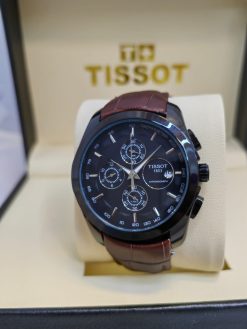 Men's Tissot Water Resistant Stainless Steel Chronograph Wrist Watch
 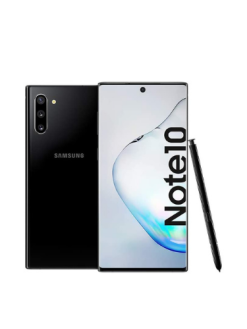 Samsung Galaxy Note 10+ Dual SIM 256GB
 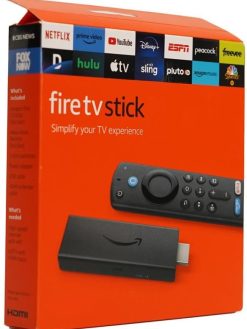 Fiire TV Stick, HD, sharp picture quality, fast streaming, free & live TV, Alexa Voice Remote with TV controls
 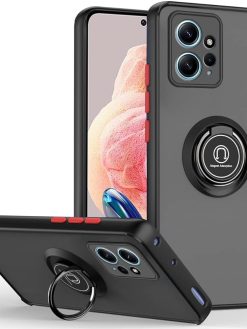 Zubitech Case For Redmi Note 12 4G Case Cover (not for 5G Version) Rotational Metal Ring Grip Kickstand Cover Magnetic Car Mount Holder Case Shockproof TPU Bumper Protection Case (Black)
  KODAK PIXPRO FZ45-WH 16MP Digital Camera 4X Optical Zoom 27mm Wide Angle 1080P Full HD Video 2.7" LCD Vlogging Camera (White)
 LCD Screen for HTC U11 Eyes with Digitizer Full Assembly (Black)
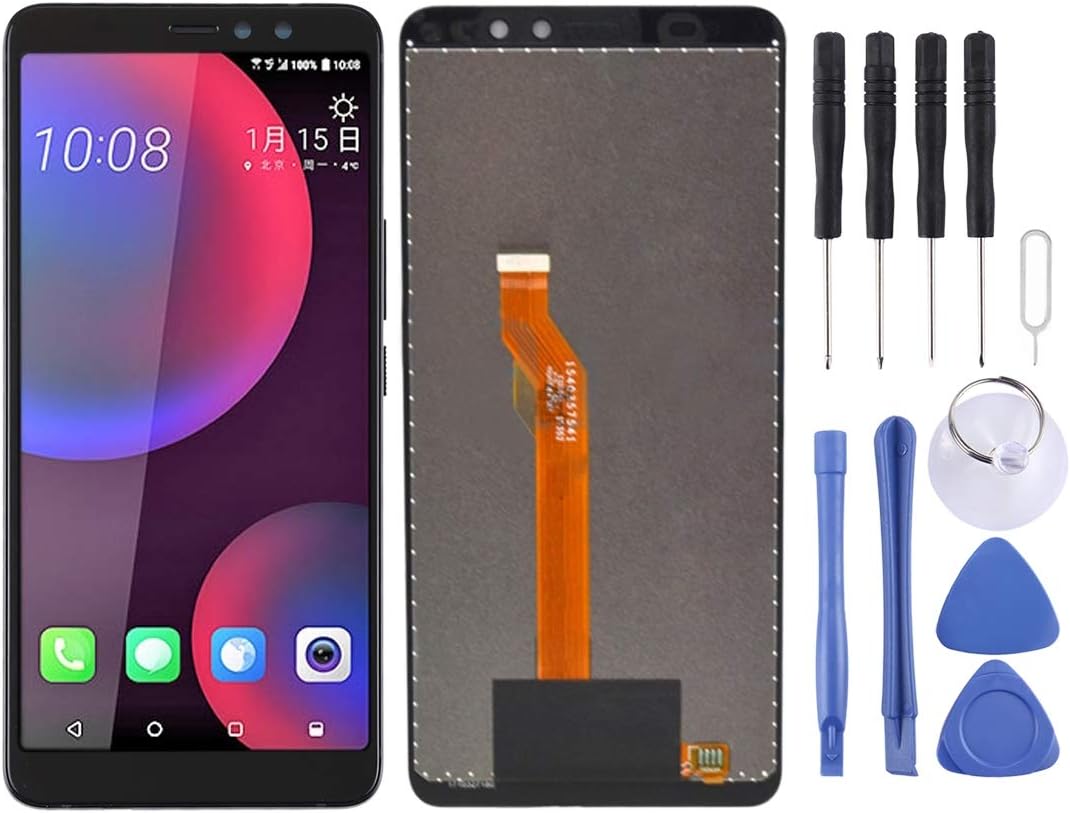
LCD Screen for HTC U11 Eyes with Digitizer Full Assembly (Black)
$67.90
Next Shipment In
Order by 12th March
Receive by 24th March
Price includes freight & customs charges.
About the product 1. Replacement LCD display + touch screen digitizer assembly for HTC U11 Eyes. 2. Replace the old, broken, cracked, damaged one. 3. Make your device look more refreshing than ever. 4. Completely fit and work. 5. Each item has been checked and in good condition before shipping. 6. Professional installation is highly recommended. We will not be responsible once the screen is installed. Before Installation Notes 1. Tips 1: Test before installation When testing, do not remove any protective film or tags. Please pay attention to the problem of static electricity. Before attempting any repair, be sure to ground yourself is an ESD (electro static discharge) strap. This will prevent static electricity from damaging the electronic components within the phone. Ensure you wear eye protection and use caution not to cut your finger with the glass splinters. 2. Tips 2: Simulates testing Screen replacement is very fragile product. We strongly suggest test before installation. Please simulates testing, which means mobile phone apart, (motherboard + LCD or screen) connected audio cable and new replacement, power on, test finished. If test OK, please install it. If it can not show, please contact us at the very first time. And please do not force it to be installed in mobile phone. We will not be responsible once the screen is installed. 3. Tips 3: Do not over-bend cable Please make sure LCD cable Do not over-bend. Over 90 degrees bent will cause black display.

About the product 1. Replacement LCD display + touch screen digitizer assembly for HTC U11 Eyes. 2. Replace the old, broken, cracked, damaged one. 3. Make your device look more refreshing than ever. 4. Completely fit and work. 5. Each item has been checked and in good condition before shipping. 6. Professional installation is highly recommended. We will not be responsible once the screen is installed. Before Installation Notes 1. Tips 1: Test before installation When testing, do not remove any protective film or tags. Please pay attention to the problem of static electricity. Before attempting any repair, be sure to ground yourself is an ESD (electro static discharge) strap. This will prevent static electricity from damaging the electronic components within the phone. Ensure you wear eye protection and use caution not to cut your finger with the glass splinters. 2. Tips 2: Simulates testing Screen replacement is very fragile product. We strongly suggest test before installation. Please simulates testing, which means mobile phone apart, (motherboard + LCD or screen) connected audio cable and new replacement, power on, test finished. If test OK, please install it. If it can not show, please contact us at the very first time. And please do not force it to be installed in mobile phone. We will not be responsible once the screen is installed. 3. Tips 3: Do not over-bend cable Please make sure LCD cable Do not over-bend. Over 90 degrees bent will cause black display.
You must be logged in to post a review.

-24%
Out of stock
Electronics
Original price was: $170.00.$129.00Current price is: $129.00.



Reviews
There are no reviews yet